


WordWhizzle Connect
4.62.36K Reviews
App Specs
- Version
- 1.6.6
- Updated On
- License
- Free
- Downloads
- 100,000+
- Developer
- Apprope AB
- Categories
- Word
- Platform
- Android
Screenshots
 Analysis by AppCompare
I spent time with WordWhizzle Connect as a casual word game, but what stood out most was how much its comfort depends on the situation in which you play. It is easy to approach, free to start, and built around short vocabulary challenges rather than long sessions. That makes it appealing when I want something mentally active without committing to a complicated game. At the same time, its simple presentation means that people with particular visual, motor, or attention needs may want to test it carefully before making it part of their daily routine.
Developed by Apprope AB, this game sits in the word category and is suitable for everyone. It was released on August 21, 2017, and the current version is 1.6.6. The Android requirement begins at version 7.0, so it remains approachable for many older devices. It is free to install, with optional in-app purchases ranging from $0.99 to $49.99 per item. That combination makes it easy to try, although the presence of purchases is worth remembering if children use the device.
How the game feels to read and navigate
The main appeal is immediate: I can open the game and begin working with words without first learning a large set of rules. That low entry barrier matters for players who prefer familiar language puzzles over action games, card systems, or elaborate role-playing menus. The experience is focused enough that I never felt I had to understand a complicated interface before enjoying the central challenge.
Navigation is most comfortable when I am playing with full attention. Word puzzles ask me to move between looking at the available letters, considering possible combinations, and checking whether a solution fits. On a larger phone, that process feels less cramped. On a smaller screen, the same elements can demand more concentration, especially if I am playing quickly or trying to compare several possible words at once.
I also found that the game suits readers who like visual problem solving more than long written instructions. The word-focused format keeps the amount of text manageable, which can make the first few minutes less intimidating than a typical strategy game. However, a compact interface can still be tiring for anyone who needs larger text, stronger separation between controls, or more time to identify individual elements.
One practical habit improved my experience: I stopped trying to solve every puzzle at maximum speed. Instead, I read the available letters from left to right, then looked for common endings and beginnings. This reduced unnecessary tapping and made the game feel more deliberate. It is a useful approach for players who find rapid visual scanning uncomfortable, even though it does not change the underlying game.
The public response suggests that many people find the format approachable. The game holds a 4.6 average from around 8.7 thousand ratings, and it has passed 100 thousand installs. Those figures do not tell me whether it will suit a particular person, but they do indicate that the basic concept has reached a meaningful audience rather than being an obscure experiment.
Worth Reading Before You Choose

EA SPORTS FC Mobile 26 Is a Bigger Football Game, but It Takes Time

Flipboard Shows What News Apps Must Do Beyond the Feed

Switching to Android Auto Means Rethinking Your Driving Routine

Google Calendar Makes a Crowded Week Easier to Manage

Ludo King Makes the Most of the Minutes Between Plans

Baby Panda World Brings Quick Play to Modern Phones, but Its Game Library Feels Busy
Why the word format works in short sessions
I would not treat this as a game that needs a quiet evening. Its strongest use is the small gap in a normal day: waiting for an appointment, taking a short break from work, or relaxing before bed. A single puzzle can give my attention something specific to do without requiring the emotional investment of a competitive multiplayer match.
That also helps people who prefer predictable mental activity. There is no need to coordinate with another player or remember a large fictional world. I can play alone, pause mentally, and return when I have enough focus. For someone who enjoys crosswords but wants a more compact phone experience, this is a natural alternative.
There is a trade-off, though. Players who need explicit tutorials, highly adjustable presentation, or a strong sense of progression may find the experience less accommodating than a larger word-game platform. The clean approach is a strength for casual use, but it can feel limited if I want detailed control over how information is displayed.
Motor and sensory considerations in everyday play
Word games usually place less demand on reflexes than action titles, and that is one of this game’s clearest advantages. I do not need to steer a character, react to enemies, or perform a long sequence of timed gestures. The central task is cognitive, so it can be a better fit for someone who wants a game without fast visual movement.
Still, “not an action game” does not mean “effortless for every hand.” Selecting letters repeatedly can become uncomfortable for players with limited reach, tremor, joint pain, or difficulty making accurate taps. The most reliable way to reduce that strain is to hold the phone in a stable position and use slower, intentional touches instead of trying to build words in a hurry. A stand or a larger device may also help, although the benefit depends on the player and the phone.
The game’s word-based nature can be useful for people who process language comfortably but dislike noisy, constantly changing screens. There is less sensory pressure than I would expect from a game filled with animation, sound effects, or competing objectives. I can concentrate on the letters and the answer rather than filtering a busy scene.
On the other hand, the same reliance on written words creates a barrier for players with dyslexia, language-processing difficulties, limited literacy, or a different first language. The challenge is not merely recognizing a button; it is understanding and manipulating vocabulary. That may be enjoyable for a confident reader but frustrating for someone who needs audio support, simplified language, or another way to interact with the puzzle.
Brightness and surrounding light also matter more than I first expected. When I played in a dim room, I was more likely to lean toward the screen and lose comfort over time. In daylight, glare could make small visual details harder to distinguish. A reader who is sensitive to light should choose a comfortable environment and take breaks rather than assuming that a short puzzle cannot cause fatigue.
A useful strategy for players with fluctuating attention is to treat each session as a single mental exercise. I found that opening the game with a clear stopping point was better than continuing until I became frustrated. If a word did not come quickly, stepping away and returning later often felt more productive than repeatedly tapping at the same puzzle.
Sound, attention, and shared spaces
This is also a practical game for places where I do not want to disturb anyone. A word puzzle can be enjoyed in a waiting room, on public transport, or beside someone who is sleeping, provided the phone is used quietly. That makes it more flexible than games whose enjoyment depends heavily on sound cues or constant audio feedback.
Silent play has a drawback for anyone who relies on sound to understand changes on screen. Without dependable visual clarity, a quiet environment does not automatically make the game accessible. I would recommend testing it in the exact way the player expects to use it: with sound muted, with one hand, in bright light, or while wearing reading glasses. The relevant question is not whether the game is simple in general, but whether its visual word interaction remains comfortable for that individual.
Using it across different situations and abilities
For a commuter, the game’s best quality is its independence from other players. I can start it when I have a few free minutes and stop when my bus arrives. That makes it less demanding than a match-based game, where leaving at the wrong moment can affect someone else. The same quality helps caregivers and parents who need an activity that can be interrupted easily.
For an older player who enjoys vocabulary practice, the game may feel more inviting than a large puzzle app with numerous modes and crowded menus. The free entry point removes much of the risk of trying it. I would still suggest checking the screen comfortably and keeping purchase controls in mind if the phone is shared with a child.
For a child, the everyone rating is reassuring as a general content signal, but it should not be treated as a complete accessibility assessment. A child who reads confidently may enjoy discovering words independently. A child who is still developing reading skills may need an adult nearby, not because the game is inherently unsuitable, but because the central challenge assumes comfort with written language.
For someone with attention differences, the short-puzzle structure can be a benefit. There is a clear task to focus on, and the word format gives the mind a defined target rather than an open-ended world. Yet a player who becomes anxious when stuck may need to set a time limit for each attempt. The game is more helpful as a low-pressure break than as a test of speed or perfection.
For a player with motor limitations, the absence of rapid action is encouraging, but repeated letter selection still deserves attention. I would try the game before paying for anything, using the intended hand position and device. If accurate taps are difficult, a word game with stronger input customization may be a better choice, even if its puzzles are less appealing.
For someone who wants to improve a second language, the game can offer useful exposure to spelling and word patterns, but I would not mistake it for a structured language course. It may reinforce familiar vocabulary and encourage curiosity, yet it does not replace explanations, pronunciation practice, or carefully graded lessons. A dedicated learning app is the better option when progress tracking and instruction matter more than casual play.
Where the experience still creates friction
The biggest limitation is that the game’s simplicity does not automatically provide flexibility. A focused word puzzle can be welcoming to one player and restrictive to another. If a person needs enlarged text, spoken guidance, alternative input, or extensive contrast controls, I would not assume that this title will meet those needs without testing it directly.
Another barrier is the possibility of mental fatigue. Word solving looks gentle from the outside, but searching through letters can become demanding when I am tired, distracted, or under time pressure from my surroundings. This is especially noticeable when I keep revisiting the same possibilities. The right response is to pause, not to interpret difficulty as a personal failure.
In-app purchases are another point to handle thoughtfully. The game is free, but individual purchases can cost from $0.99 to $49.99. That broad range means I would review the purchase flow before handing the phone to a child or someone who may tap through screens unintentionally. The free version is enough to judge whether the core interaction works for you, so there is no practical reason to spend immediately.
The age rating of Everyone makes the game broadly suitable in content terms, but accessibility and suitability are not identical. A game can be appropriate for all ages while still being difficult for a reader with visual, language, or motor needs. I appreciate the distinction because it leads to a more honest decision: check the actual interaction rather than relying on the age label alone.
Compared with a crossword app, this feels more compact and less dependent on a large grid or lengthy clues. Compared with a spelling-learning tool, it is more playful but less instructional. Compared with a fast word battle, it is calmer and more private, though it may offer less excitement for people who need competition. Those differences make the choice fairly clear: I would select this for quick, solitary vocabulary play, not for formal learning or social rivalry.
My inclusive verdict after using it
I recommend WordWhizzle Connect to readers who want a free, approachable word game that can fit around ordinary life. Its strongest audience includes casual puzzle fans, commuters, families sharing a device, and players who prefer language challenges over reflex-heavy action. The fact that it runs on Android 7.0 or later also makes it worth considering for people who are not using a recent phone.
I would be more cautious if you need extensive accessibility adjustments, have difficulty reading small text, or rely on audio and alternative controls. The game’s core idea is clear, but the very thing that makes it simple—working directly with written words—can become its main barrier. In those cases, a dedicated accessibility-focused puzzle or language app may be a better fit.
My best advice is to try it in your real setting before deciding whether it belongs on your phone. Play silently if that is how you normally use games, test it with one hand if that matters, and stop after a short session to check whether your eyes and fingers remain comfortable. That small experiment tells you more than a general rating.
Overall, I see this as a friendly mental break rather than a deep word-learning system. It respects short sessions, avoids the pressure of multiplayer play, and gives readers a clear reason to return when they want a little vocabulary-focused stimulation. Its inclusive strength is the low-pressure format, while its main weakness is the limited room for people who need the presentation or controls adapted to them. If that balance matches your needs, it is an easy free game to try; if it does not, choosing a more configurable alternative will save frustration.
Pros
- Quick word puzzles are ideal for short breaks.
- Simple controls make it accessible for most players.
- Increasing difficulty keeps the challenge engaging.
- Offline play is useful when no internet is available.
- Colorful visuals and sound effects make rounds feel lively.
Cons
- Some puzzles may rely on obscure or less familiar words.
- Hints can become costly if used frequently.
- Repeated puzzle patterns may reduce long-term variety.
- Ads may interrupt the experience between levels.
- Progress can feel slow for players seeking faster rewards.
FAQs for WordWhizzle Connect
What is WordWhizzle Connect and how does the gameplay work?
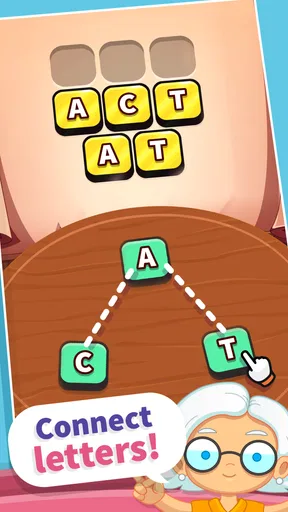
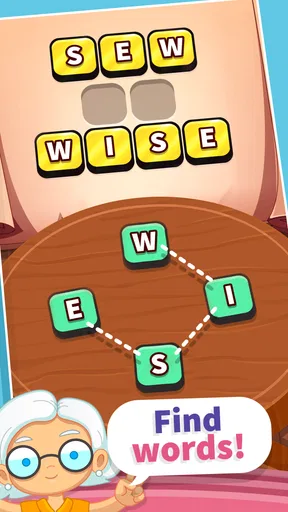
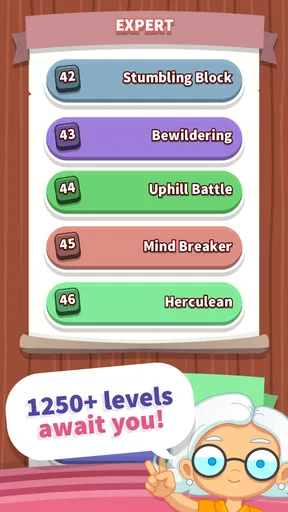
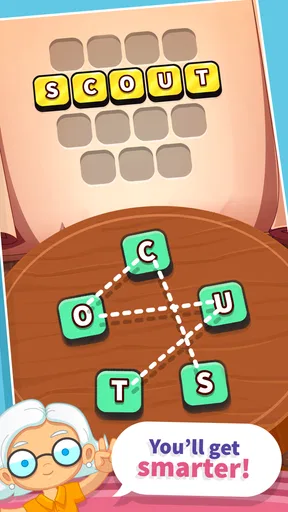
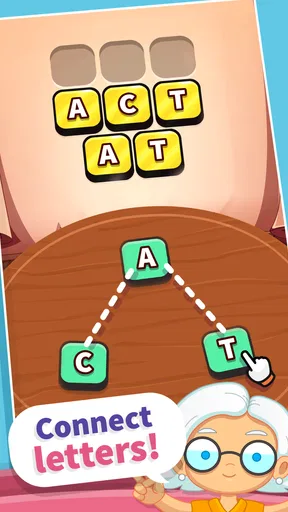
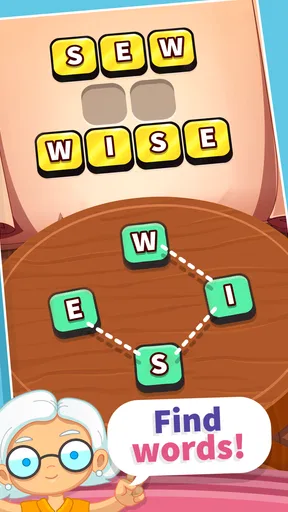
WordWhizzle Connect is a word puzzle game in which you connect letters to form words and solve themed challenges. After installing it, you can expect short, accessible levels that gradually become more demanding. The basic controls are easy to understand: swipe across adjacent letters to create a word, then use the discovered answers to complete each puzzle and progress through the game.
Is WordWhizzle Connect free to download and play?
WordWhizzle Connect can generally be downloaded for free on supported Android and iOS devices, allowing you to try the core puzzles without paying upfront. However, free games commonly include advertising and optional in-app purchases. Depending on the version available in your region, purchases may offer hints, remove ads, or provide other conveniences, so it is worth checking the store listing before downloading.
Does WordWhizzle Connect work offline?
Many of the standard word puzzles in WordWhizzle Connect may be playable without a continuous internet connection once the necessary game data has been installed. Nevertheless, online access can still be required for advertisements, updates, synchronization, leaderboards, or certain bonus features. If you plan to play while traveling, test the game in airplane mode first because offline availability can vary by device and app version.
Are there hints or help options when a puzzle becomes difficult?
Yes, WordWhizzle Connect is designed to provide assistance when you are stuck, usually through hint-style tools or consumable resources. These options can reveal letters or guide you toward a solution, but they may be limited and can sometimes be connected to advertisements or optional purchases. Players who prefer a challenge can ignore them, while casual users can use them to keep progressing.
Is WordWhizzle Connect suitable for children and beginners?
WordWhizzle Connect is generally approachable for beginners because its swipe-based controls and short word puzzles are simple to learn. It can also be useful for players who enjoy vocabulary practice, although difficulty and word selection may vary. Parents should review the current store rating, advertising behavior, and purchase settings before allowing children to play, particularly if the device has saved payment information.


